
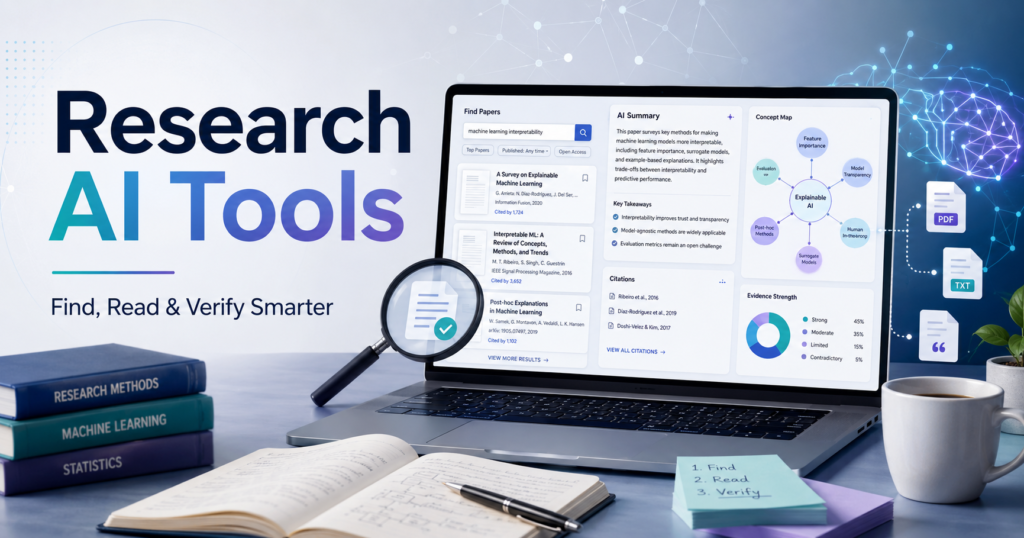
8 Best Research AI Tools for Finding, Reading and Verifying Information
Research used to begin with a search box and end with twenty open browser tabs.
You would find a few useful papers, download several PDFs, lose track of where a statistic came from and then spend another hour rebuilding your reference list. The problem was rarely a lack of information. It was the work required to sort useful evidence from everything else.
Research AI tools are beginning to change that process.
The better tools can help you find relevant studies, understand difficult papers, compare findings, follow citation trails and organise what you have learned. They cannot decide whether a study is trustworthy for you, but they can reduce much of the repetitive work surrounding that decision.
This guide looks at eight useful research AI tools, what each one does well and where it can fall short. It also explains how to combine them without allowing AI-generated summaries to replace your own judgement.
What Are Research AI Tools?
Research AI tools are applications that use artificial intelligence to support one or more stages of the research process.
Depending on the platform, they may help you:
- Search for academic papers using a full question instead of a few keywords
- Summarise long or technical studies
- Extract information such as sample size, methodology and findings
- Compare conclusions across multiple papers
- Map relationships between authors, studies and citations
- Check whether later research supports or disputes a claim
- Ask questions about a selected collection of PDFs
- Organise notes, references and research themes
These tools are used by students and academics, but they are not limited to university research. Content writers, healthcare professionals, business analysts, product teams and marketers can also use them to investigate a topic more efficiently.
The important distinction is that a research AI tool should help you reach the source. It should not merely produce a polished paragraph that hides where the information came from.
Research AI Tools Compared
| Tool | Best for | Main function | Access |
|---|---|---|---|
| Elicit | Structured literature research | Searches papers, creates summaries and extracts study data | Free plan with paid upgrades |
| Consensus | Quick evidence-based answers | Answers questions using academic literature | Free search with paid AI features |
| Semantic Scholar | Free paper discovery | Finds papers, citations and short AI summaries | Free |
| ResearchRabbit | Exploring connected research | Builds visual maps of papers and authors | Free plan with optional upgrade |
| Scite | Checking scientific claims | Shows whether citations support, contrast or mention a study | Paid with trial |
| SciSpace | Reading difficult papers | Explains PDFs and supports literature-review workflows | Free plan with paid credits |
| NotebookLM | Researching your own sources | Answers questions using selected documents and websites | Free plan with upgrades |
| Litmaps | Citation mapping and alerts | Finds connected papers and monitors new research | Free plan with paid upgrades |
Prices and usage limits can change. Check the current plan before choosing a paid subscription.
1. Elicit: Best for Structured Literature Research
Elicit is useful when you have a research question but do not yet know which papers matter.
Instead of searching only by title or keyword, you can describe the question you are investigating. Elicit searches academic literature and presents the results in a structured format. You can compare papers, review summaries and extract information into columns.
For example, imagine you are researching whether remote work affects employee productivity. Rather than opening every result individually, you could create columns for:
- Number of participants
- Industry
- Study location
- Research method
- Reported productivity effect
- Limitations
That structure makes it easier to identify agreements, contradictions and gaps.
Elicit currently supports paper search, summaries, data extraction, document chat and research-report workflows. Its official site says its search covers more than 100 million academic papers.
Where Elicit works well
Elicit is particularly useful for an early literature review, evidence mapping and comparing the characteristics of several studies. It is more focused than a general chatbot because its workflow is designed around research papers.
Where it can fall short
AI-generated extraction is not the same as manual review. Important methodological details may be missed or interpreted incorrectly. Check extracted information against the full paper before including it in an assignment, report or publication.
Best for: Researchers who need a structured overview of existing studies.
2. Consensus: Best for Quick Evidence-Based Answers
Consensus is designed for questions that can be investigated through published research.
You can ask something such as:
- Does exercise improve sleep quality?
- Is remote learning as effective as classroom learning?
- Does social media use affect adolescent mental health?
The platform searches scholarly literature and produces an answer linked to the studies it used. This makes it more useful for evidence-focused questions than an ordinary web search filled with blogs, opinion pages and commercial content.
Consensus describes itself as an academic search engine that searches hundreds of millions of research papers and uses language models to synthesise findings. Its answers include citations so users can return to the underlying studies.
Where Consensus works well
It is helpful when you need a fast introduction to what research says about a focused question. It can also help you discover useful terminology before beginning a deeper literature search.
Where it can fall short
A short synthesis can make a complicated research area appear more settled than it really is. The answer may not fully communicate differences in study design, population, sample size or research quality.
Use the synthesis as a map. Read the strongest and most relevant papers before drawing a conclusion.
Best for: Students, writers and professionals who need a quick evidence-based starting point.
3. Semantic Scholar: Best Free Tool for Discovering Papers
Semantic Scholar is one of the most useful free AI tools for research.
You can search by topic, paper, author or keyword and then filter the results by field, publication date and other criteria. Paper pages contain citations, references, related work and, where available, short AI-generated summaries.
Its TLDR feature provides a brief summary of a paper’s main objective or conclusion. This can help you decide whether a paper deserves closer reading before you download or save it.
Semantic Scholar also allows users to build a library, export citations and create AI-powered research feeds that recommend papers based on saved material.
Where Semantic Scholar works well
It is a strong starting point when you want broad academic coverage without immediately paying for a subscription. The citation and recommendation features are also useful for following a topic over time.
Where it can fall short
A short generated summary cannot communicate every qualification in the study. It may leave out limitations, conditions or methodological details that change how the findings should be interpreted.
Use TLDRs to decide what to read, not as a replacement for reading it.
Best for: Students and independent researchers looking for a capable free research platform.
4. ResearchRabbit: Best for Exploring Connections Between Studies
Keyword search works well when you already know what terms researchers use. It is less effective when terminology changes between disciplines or over time.
ResearchRabbit approaches discovery through connections.
You begin with one or more relevant papers. The platform then shows related papers, authors and citation relationships through visual maps. This can reveal important studies that did not appear in your original keyword search.
It is especially useful when you want to understand:
- Which papers influenced a field
- Which studies developed an earlier idea
- Which authors frequently work together
- How a topic has evolved
- Which newer papers cite an important older study
ResearchRabbit says its tools include interactive maps, personalised recommendations, author tracking and organised research collections. Its free plan includes paper searches, collections and collaboration features.
Where ResearchRabbit works well
It is excellent for discovering research through citation networks and seeing the shape of a topic rather than reading papers in isolation.
Where it can fall short
A visually central or frequently cited paper is not automatically the best-quality paper. Citation counts can be influenced by age, controversy, popularity or the size of a research field.
The map tells you how studies are connected. You still need to judge whether those studies are reliable.
Best for: Literature reviews, thesis research and finding influential papers.
5. Scite: Best for Checking Whether a Claim Is Supported
Traditional citation counts tell you how often a paper has been referenced. They do not tell you why it was cited.
A study may be cited because later researchers agree with it. It may also be cited because they found a weakness, failed to reproduce the result or reached the opposite conclusion.
Scite addresses this problem through Smart Citations. It classifies citation contexts to show whether later papers support, contrast with or simply mention the cited study.
Suppose you find a widely repeated claim in an article. Scite can help you examine how that claim has been treated in later scientific literature.
That is valuable for topics where an early study gained attention but subsequent evidence became more mixed.
Where Scite works well
Scite is particularly useful for fact-checking scientific claims, evaluating influential papers and understanding how evidence has developed after publication.
Where it can fall short
Citation classification is still an automated interpretation of the surrounding text. A supporting label does not prove that the later study is strong, and a contrasting label does not automatically invalidate the original paper.
Treat the classification as a signal that tells you what to inspect.
Best for: Researchers, healthcare writers and anyone verifying evidence-heavy claims.
6. SciSpace: Best for Understanding Difficult Research Papers
Finding the right paper is only half the problem. Academic writing can be dense, highly specialised and full of unfamiliar methods, formulas and terminology.
SciSpace allows users to open or upload papers and ask questions about the content. It can explain selected text, summarise sections and help interpret tables or equations.
The platform also offers broader literature-review and research-writing features. SciSpace describes its current product as an AI research assistant that supports literature reviews across a large academic-paper database.
A useful way to work with it is to ask narrow questions:
- What population was studied?
- What was the control condition?
- How was the outcome measured?
- What limitations did the authors identify?
- Does the conclusion go beyond the results?
These questions are more useful than simply asking for a general summary.
Where SciSpace works well
It can make technical papers more approachable, particularly for students entering a new subject or professionals reading outside their main area of expertise.
Where it can fall short
An easy explanation can remove important technical detail. When a method, formula or statistical result matters to your conclusion, verify the explanation in the original section.
Best for: Reading complex papers and understanding unfamiliar academic language.
7. NotebookLM: Best for Researching a Selected Set of Sources
Most research tools begin by searching a large database. NotebookLM is more useful after you have already chosen the materials you want to examine.
You can create a notebook and add sources such as PDFs, websites, pasted text and supported Google Drive files. You can then ask questions across that source collection.
This makes it useful when you need to:
- Compare several reports
- Analyse interview transcripts
- Study course material
- Review policy documents
- Create a briefing from internal sources
- Identify themes across multiple documents
NotebookLM answers with citations connected to the uploaded sources. You can open a citation and inspect the quoted passage in context.
That source-grounded design is valuable because it reduces the chance of receiving an answer based on an unknown webpage or an invented reference.
Where NotebookLM works well
It is strong for synthesis after source collection. It is also useful when your research includes reports, meeting notes, internal documents or course materials rather than only published academic papers.
Where it can fall short
The quality of the answer depends on the quality and completeness of the sources you provide. A well-written answer based on a weak or one-sided source collection will still be weak or one-sided.
Best for: Analysing and comparing a controlled collection of documents.
8. Litmaps: Best for Citation Mapping and Research Alerts
Litmaps helps researchers discover papers by examining the relationships created through references and citations.
Start with one or more relevant papers, and the platform builds a visual map of connected research. You can use that map to find earlier foundational work, later studies and papers that sit within the same research cluster.
Litmaps can also monitor a topic and alert you when new connected research appears. Its official product information highlights discovery, visualisation, collaboration and monitoring features.
Where Litmaps works well
It is useful for long-running projects where keeping up with newly published work matters. The maps can also help you notice separate clusters of research that use different terms for similar ideas.
Where it can fall short
Citation-based discovery can favour established papers and well-connected research communities. New studies and less frequently cited work may not immediately appear as important nodes.
Combine citation mapping with direct database and keyword searches.
Best for: Ongoing literature reviews and monitoring emerging research.
Which Research AI Tool Should You Choose?
There is no single best tool for every research task.
Choose according to the problem in front of you:
| Your task | Suitable tool |
|---|---|
| Get a quick answer based on academic studies | Consensus |
| Search and compare studies in a structured table | Elicit |
| Find academic papers without paying | Semantic Scholar |
| Discover related studies through citation networks | ResearchRabbit or Litmaps |
| Check whether later papers support a claim | Scite |
| Understand a difficult PDF | SciSpace |
| Ask questions across your selected documents | NotebookLM |
| Monitor newly published research | Litmaps or ResearchRabbit |
For serious projects, a combination usually works better than relying on one platform.
A Practical AI-Assisted Research Workflow
A good workflow gives each tool a limited job.
Step 1: Define the question yourself
Begin with a clear research question before opening an AI tool.
A broad topic such as social media and students will return broad, inconsistent material.
A more useful question would be:
How does daily social media use affect sleep quality among university students aged 18 to 24?
The clearer your question, the easier it becomes to recognise relevant evidence.
Step 2: Learn the language of the topic
Use Consensus or Semantic Scholar to identify common terms, major authors and frequently discussed findings.
At this stage, you are learning how researchers describe the subject. Do not settle on a conclusion yet.
Step 3: Build a core paper collection
Select a small group of directly relevant papers. Prioritise systematic reviews, recent studies and important foundational work where appropriate.
Record the full citation immediately. Do not wait until the writing stage to rebuild your sources.
Step 4: Expand through connections
Add your strongest papers to ResearchRabbit or Litmaps.
Follow references backwards to earlier work and citations forward to newer studies. This can uncover relevant research that did not use the same keywords as your first search.
Step 5: Compare studies systematically
Use Elicit or SciSpace to create a comparison table covering factors such as:
- Study design
- Participants
- Location
- Data-collection method
- Main findings
- Limitations
- Funding or conflicts of interest
Then check important extracted details against the papers.
Step 6: Verify major claims
Before using an important statistic or conclusion, inspect the original source.
Scite can help you see whether later research supported or questioned the study, but you should also check publication date, sample size, methodology and context.
Step 7: Analyse your final source set
Upload your selected documents to NotebookLM or another source-grounded workspace. Ask it to compare themes, differences and limitations.
Avoid asking it to write your final conclusion before you have formed your own view.
Step 8: Write from your notes
Your article, report or paper should reflect your understanding of the evidence.
AI can help organise material and improve clarity. It should not decide what you believe, invent references or hide uncertainty.
How to Use Research AI Tools Without Creating Plagiarism Problems
Using AI for research does not automatically create plagiarism. Problems arise when users copy generated writing, fail to cite original sources or submit AI-produced interpretations as their own work.
A safer approach is straightforward:
- Use AI to discover and understand sources.
- Read the original material.
- Take notes in your own words.
- Record the citation while taking the note.
- Write from your notes rather than copying the AI response.
- Quote directly only when the exact wording matters.
- Follow the AI-use policy of your institution, journal or employer.
Never cite a paper only because an AI tool mentioned it. Open the paper and confirm that it exists, contains the claimed information and applies to your topic.
Limitations of AI Tools for Research
Research AI tools can make early exploration faster, but speed can create false confidence.
A 2026 evaluation of AI research tools found that they could be useful for exploratory searches and broad summaries, while precise extraction, transparency and reproducibility still required careful human verification.
Here are the main risks to watch.
Invented or mismatched citations
Some tools may produce references that do not exist or attach a real citation to a claim the paper never made.
Always open the source.
Oversimplified conclusions
A summary may report that an intervention worked while omitting that the effect was small, limited to one group or based on a weak study design.
Incomplete search coverage
No research database includes everything. Language, discipline, publisher access and indexing choices can affect what appears.
Automation bias
Clear, confident writing can make an answer appear more reliable than it is. Presentation quality is not evidence quality.
Privacy concerns
Do not upload confidential interviews, unpublished findings, patient information or company data without reviewing the platform’s privacy and data-handling terms.
Loss of original thinking
Research is not only the collection of information. It also involves questioning assumptions, recognising patterns and deciding which explanations are most convincing.
Those are not steps to automate away.
Frequently Asked Questions
What are the best research AI tools?
The best tool depends on your task. Elicit is useful for structured literature research, Consensus for evidence-based questions, Semantic Scholar for free paper discovery, ResearchRabbit and Litmaps for citation mapping, Scite for checking claims, SciSpace for explaining papers and NotebookLM for analysing a selected source collection.
Are there free AI tools for research?
Yes. Semantic Scholar is free, while ResearchRabbit, Elicit, Consensus, SciSpace, NotebookLM and Litmaps offer free access with different usage limits. Free-plan features can change, so review the latest terms before beginning a large project.
Can AI tools write a research paper?
AI tools can help plan a paper, find sources, organise notes and improve clarity. They should not replace the researcher’s analysis. Submitting generated writing may also violate university, journal or workplace policies.
Which AI tool is best for finding research papers?
Semantic Scholar is a strong free starting point. Elicit and Consensus are useful when searching with a research question, while ResearchRabbit and Litmaps help find papers through citation relationships.
Which AI tool is best for literature reviews?
Elicit is useful for structured extraction and comparison. ResearchRabbit and Litmaps help expand a paper collection, while Scite can help investigate whether important findings were supported or challenged by later research.
Can AI-generated research summaries be trusted?
They can help you understand a topic quickly, but they should be checked against the original sources. Summaries may omit limitations, confuse findings or present uncertain evidence too confidently.
How do I use AI for research without plagiarism?
Use AI to find and understand information, then read the original sources and write from your own notes. Cite the original author or study rather than citing an AI-generated summary.
Are research AI tools suitable for business research?
Yes, particularly NotebookLM, Elicit and general source-grounded research assistants. However, academic tools may not cover company filings, market reports, customer interviews or current industry news. Business research usually requires a wider mix of sources.
Final Thoughts
Research AI tools are most valuable when they remove repetitive work without removing judgement.
Use them to search more widely, understand papers faster, organise evidence and identify questions worth investigating. Do not use them to avoid reading, checking or thinking.
A practical combination could be Semantic Scholar for discovery, ResearchRabbit for connected papers, Elicit for comparison, Scite for verification and NotebookLM for analysing your final source collection.
The tool matters, but the workflow matters more. Good research still depends on asking a clear question, choosing credible sources and being willing to check whether an attractive answer is actually true.